
Miscellaneous Shell History (2)
A journey to learn Shell, part 2
List
Commands usually used with ls. You can use these commands to see the contents of a directory. The additional commands are useful because they allow you to pull out the list for appropriate purposes.
We'll leave the commands we use most often and the commands we need for specific applications, and if you need more, you can use man to get the manual or refer to the documentation linked below.
-l: Long Default Format.
working john 2008-07-25 11:56 csrc 1 alias.c-4.5 27
-al: displays the full text.
-t: Sort by modified time.
-m: output each element separated by commas and spaces (, )
this, is, example
-r: output in the reverse of the current order
-R: recursively prints the contents of subdirectories
-h: Print units in human-readable format (using units like m, k, g, etc.)
Find
This command searches for a file, searching through all subdirectories based on a given location and printing the results. It provides a lot more functionality than just output, and if you really want to get the most out of it, you'll need to learn about regular expressions.
-name: This is a command to add information about the name of the search, which can be restricted through regular expressions.
-o: This command works like the or operator, if you want to have an action a if condition A and an action b if condition B, use this command.
-exec: a command that allows you to apply additional commands.
-delete: command to remove the found file
-print: command to print the found files
Similarly, you can search for other commands here.
Echo & Printf
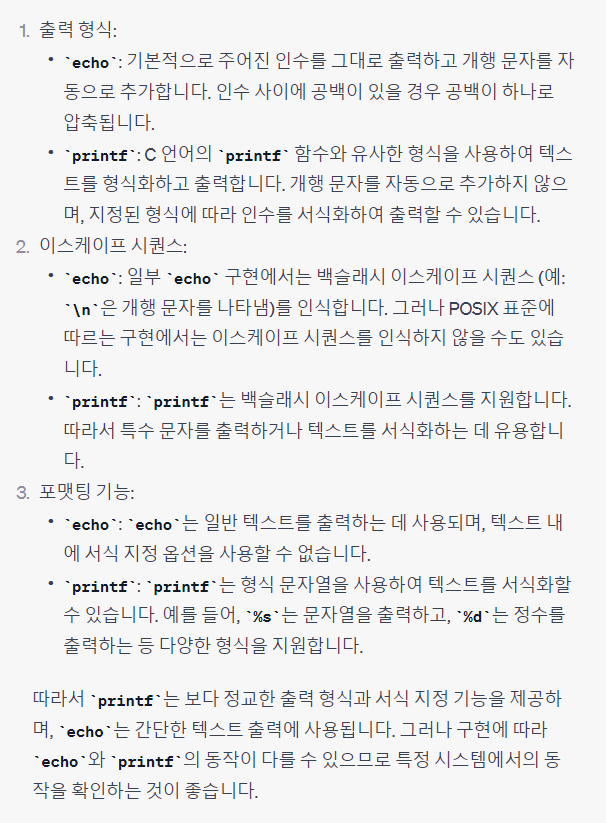
I use echo a lot in the shell, but besides echo, you can also use printf. Honestly, I don't know much about it except whether it defaults to newline or not, so I asked ChatGPT to help me with this part!
 이미지를 불러올 수 없습니다.
Surprisingly, printf is a bit more sophisticated than echo, which I often use. I don't think I'll notice any difference in light use, so I'll go with this information for now...
댓글 작성
게시글에 대한 의견을 남겨 주세요.