
Setting Up a Unified Terminal Environment for Windows and macOS
A Guide to Setting Up a Cross-Platform Terminal Environment That Works on Both Windows and macOS
Introduction
: After recently upgrading my MacBook Air, I realized I needed to reconfigure my setup.
While I’m satisfied with the performance boost from the M1 to the M5, I found that reconfiguring my existing setup was quite labor-intensive. So, I decided to take this opportunity to document the entire process and standardize it so I can easily set things up again in the future.
[2026 Mac Terminal Complete Setup (Ghostty + Starship + AI Coding Environment)](https://blog.dnd.ac/settings-mac-terminal-2026/
)
The document that left the biggest impression on me during this process was the resource linked above. The author had left a script detailing a clean and well-configured environment, which was a huge help.
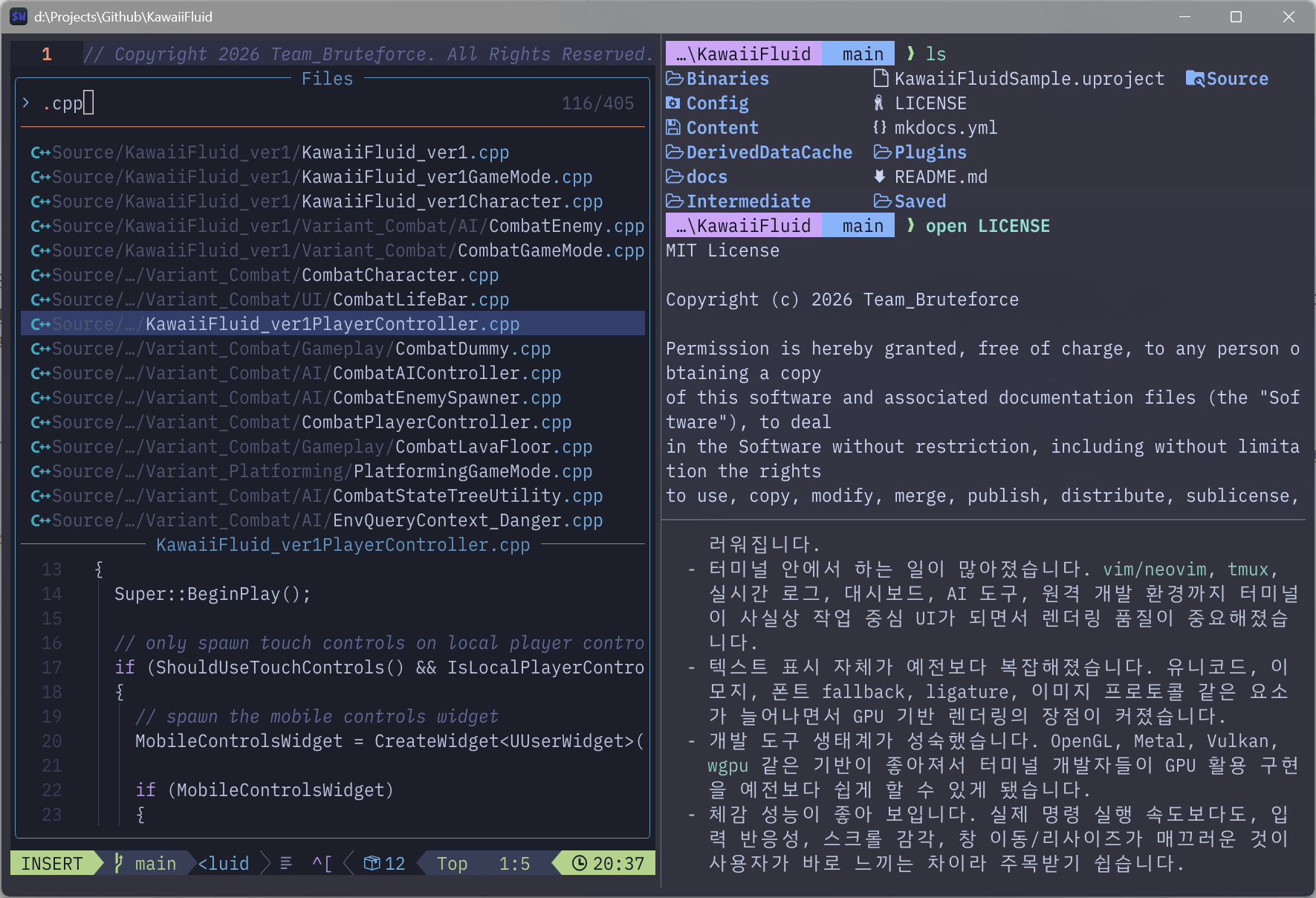
To cut to the chase, I was able to build my terminal environment as shown below:
 이미지를 불러올 수 없습니다.
Internally, the setup is based on Wezterm + Nushell + LazyVim.
You can find the complete setup guide at [Github Link](https://www.github.com/TraceofLight/global-terminal-settings
), which I designed to allow you to build the same environment on both Windows and macOS.
Setting
Goals The goals for this project were clear:
-
Use the same terminal environment on both Windows and macOS
-
Ensure seamless compatibility with LazyVim-based editors
-
Maintain a user experience similar to my existing setup
-
Ensure
ease of use with multiplexer tools like tmux I proceeded with the project to achieve these goals.
Process
First, I had to choose the technology to use. These days, the trend in terminal emulators is toward tools with a GUI capable of GPU-accelerated rendering. The reason these tools are gaining popularity is that they are fast and support customization. Since these features were necessary to build the terminal as described in the link above, I chose Wezterm from among them.
-
Terminal Emulator
Since I needed to provide the same user experience across platforms, I considered Alacritty and Wezterm as the only cross-platform terminal emulators with established ecosystems. I felt that Alacritty, which prioritizes minimalism, lacked extensibility, so I chose Wezterm. The fact that it includes a multiplexer was also a major advantage.
-
Shell
Since we needed to ensure a consistent user experience across both platforms, we initially aimed to unify the environment to support Unix commands. As a result, we decided early on to use bash on Windows and zsh on macOS. However, we encountered several issues, and ultimately settled on a unified solution based on Nushell.
-
LazyVim
Actually, I was already using tools in this area, and since they integrated seamlessly across most environments without any issues, this wasn’t difficult. We originally used SpaceVim, but since it had already been [discontinued](https://wsdjeg.net/why-spacevim-is-archived/
), we had switched to LazyVim some time ago. Since we primarily use an IDE and treat this as a supplementary tool, the installation process went smoothly.
Issues Encountered
There were a few issues during this process, both of which were related to the switch to Nushell.
-
Bash is noticeably slow on Windows
In fact, upon checking later, this turned out to be an inevitable outcome. I discovered that in a Windows environment, an additional compatibility layer is required to handle POSIX-style operations. I actually considered moving to a WSL2 environment, but ultimately ruled it out because that would be no different from using Linux.
-> To solve this problem, I decided to adopt nushell. I took into account that it is highly compatible with Unix commands, is designed using Rust (which guarantees a certain level of performance), and allows for the same environment setup on macOS.
-
The navi plugin does not work in nushell on Windows
Navi is a plugin used as a cheat sheet for terminal commands. Although we don’t use it very often, it would be problematic if the tool’s functionality didn’t work at all, so we explored various solutions. Ultimately, we forked Navi to resolve the issue and implemented the newly built plugin.
-
Cause: Even when the user’s shell changes, the internal logic applies bash-based syntax, causing issues when using Nushell
-
Solution: Instead of handling that part with shell script commands, I removed internal dependencies on bash by using the Rust HTTP client where wget was required and pwsh where bash would normally be used.
-
[Detailed Change Log](https://github.com/TraceofLight/navi/tree/fix/nushell-usability
-
)
Conclusion
Developers frequently use the terminal, and it goes without saying that a unified environment makes things easier to use. That’s why JetBrains IDEs, which support cross-platform compatibility and consistent usability, are so valuable. Similarly, if your goal is to maintain a consistent user experience across various environments when using the terminal, adopting this approach seems like a good idea.
댓글 작성
게시글에 대한 의견을 남겨 주세요.